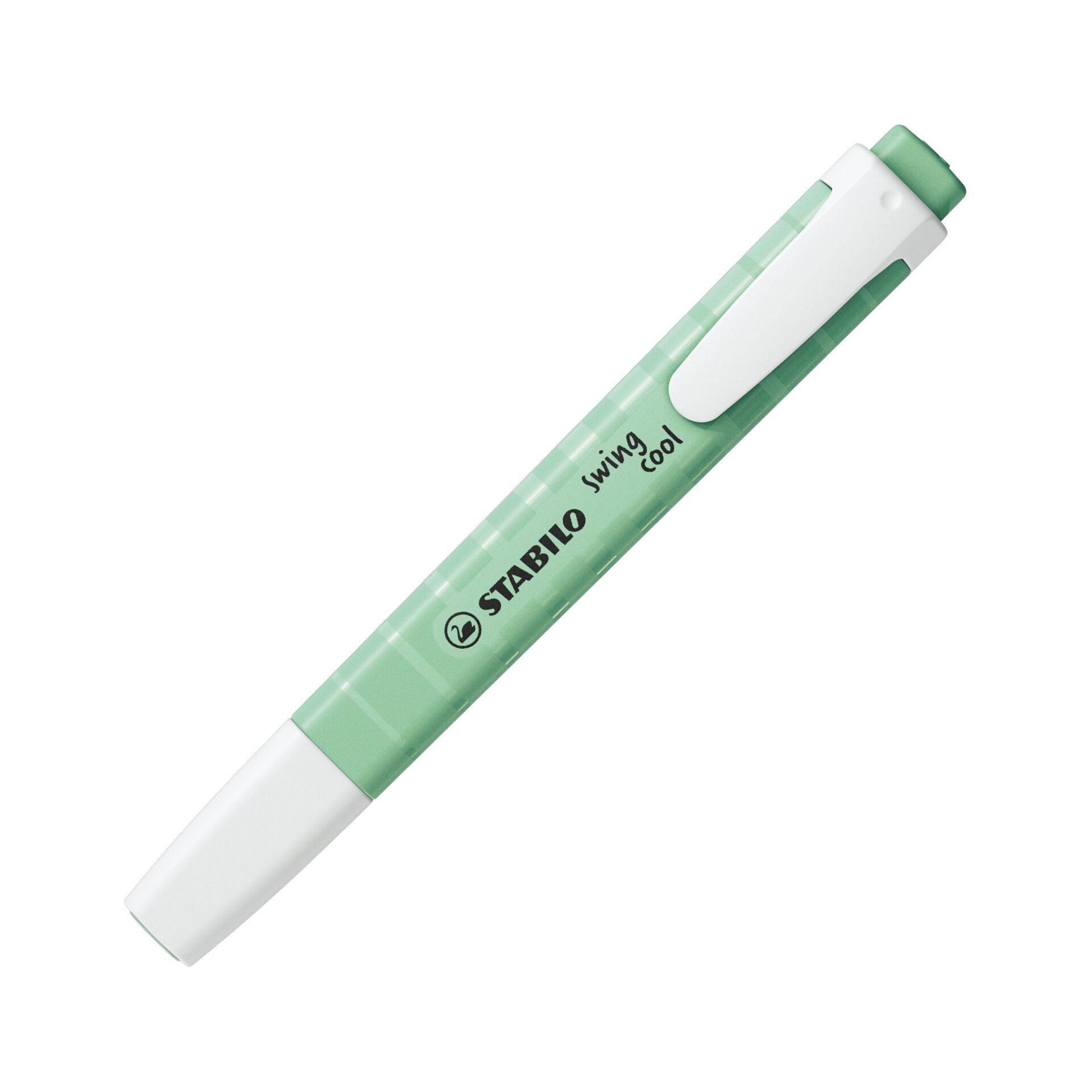
Crea il tuo sistema di colori personalizzato e usa fino a 4 diversi evidenziatori STABILO per organizzare e distinguere facilmente i contenuti, sia sui testi scritti a mano che su quelli stampati.
Digitalizza i tuoi testi e scopri le funzioni AI
Scatta una foto e trasforma il testo evidenziato in digitale. L’AI trasforma le tue evidenziature in pratiche schede con riassunti, spiegazioni, traduzioni e citazioni.
Impara, rifletti e organizza
Impara e approfondisci ciò che hai evidenziato grazie alle nostre schede. Organizzale, aggiungi tag e raccoglile su tutti i tuoi dispositivi.
Cerca facilmente tra le conoscenze che hai salvato e collega ogni scheda al libro o al documento di riferimento.
Condividi, esporta e commenta
Esporta facilmente le tue evidenziature come testo o immagini. Condividi sui social le tue splendide Quote Card e invita amici o compagni di book club a partecipare alle tue raccolte.
Collega i tuoi libri alla libreria integrata. Visualizza automaticamente la copertina del libro e aggiungi i numeri di pagina, così puoi ritrovare e citare facilmente i tuoi passaggi preferiti.
Trasforma l’app nella tua raccolta personale di citazioni. Associa la funzione Quote al colore che preferisci e organizza i tuoi passaggi preferiti con tag personalizzati e il tuo color code (ad esempio: divertente, spicy, MMC).
Crea uno spazio condiviso per il tuo book club. Condividi le tue citazioni preferite, aggiungi commenti e reagisci insieme alle evidenziature degli altri.
Crea Quote Card personalizzate. Scegli font, colori, sfondi, allineamento e stile delle evidenziature per creare grafiche uniche, perfette da condividere sui social.
Scopri spiegazioni e traduzioni in base al contesto. Comprendi subito riferimenti, espressioni e termini specifici senza interrompere il piacere della lettura.
Funzioni dell’app per studiare e organizzare le tue conoscenze
Unisci contenuti cartacei e digitali. Raccogli in un unico spazio organizzato le evidenziature di libri, appunti delle lezioni, PDF, presentazioni e risorse online.
Ottieni riassunti, spiegazioni e traduzioni contestualizzate. Grazie all’AI, ricevi informazioni e approfondimenti basati sul contenuto originale della pagina, per comprendere più velocemente anche gli argomenti più complessi.
Crea automaticamente riassunti delle pagine. Evidenzia i concetti più importanti e lascia che l’app generi un breve riassunto dell’intera pagina.
Crea cartelle condivise per studiare e lavorare insieme. Collabora su evidenziature, appunti e materiali di studio e preparati agli esami insieme al tuo gruppo.
Esporta e condividi i tuoi materiali di studio. Trasforma le evidenziature in flashcard ed esportale come immagini o testo (formato Markdown), per ripassare, collaborare o utilizzarle con altri strumenti per l’apprendimento
Ogni colore racconta una storia
Color code: 4 colori, 4 funzioni
Scegli tu cosa deve rappresentare ogni colore. Assegna una funzione AI a ciascuna evidenziatura gialla, blu, verde o rossa/rosa e aggiungi i tag che preferisci.
Puoi anche associare la stessa funzione a più colori, ad esempio per le citazioni, e distinguerle attraverso tag personalizzati come funny, spicy o MMC.
Spiega
Spiegazioni contestualizzate direttamente nella pagina.
Traduci
Traduzioni contestualizzate di parole e frasi.
Riassumi
Riassunti delle pagine guidati dalle tue evidenziature, per mettere a fuoco i concetti più importanti.
Cita
Digitalizza fedelmente le tue citazioni preferite, parola per parola.
Perché ti piacerà
Più conoscenza, in un attimo: l’AI crea istantaneamente riassunti, spiegazioni e traduzioni.
Pensato per il tuo modo di evidenziare: funziona proprio come sei già abituato a usare gli evidenziatori, senza dover cambiare le tue abitudini.
Tutte le tue evidenziature in un unico posto: raccogli appunti e passaggi dai tuoi libri in un sistema ordinato e facile da consultare.
Il colore diventa significato: assegna una funzione AI a ogni colore (ad esempio, giallo = riassunto, blu = traduzione).
Più di un semplice strumento AI: niente prompt, niente copia e incolla e niente conversazioni che rischiano di perdersi.
Condividi e collabora: crea Quote Card, condividi ciò che hai imparato e collabora con amici e compagni di studio nelle cartelle condivise.
Inizia oggi a dare vita alle tue evidenziature
Inizia oggi a dare vita alle tue evidenziature
Dal brand di evidenziatori n. 1 in Europa, un nuovo modo di portare la creatività analogica nell’era digitale.
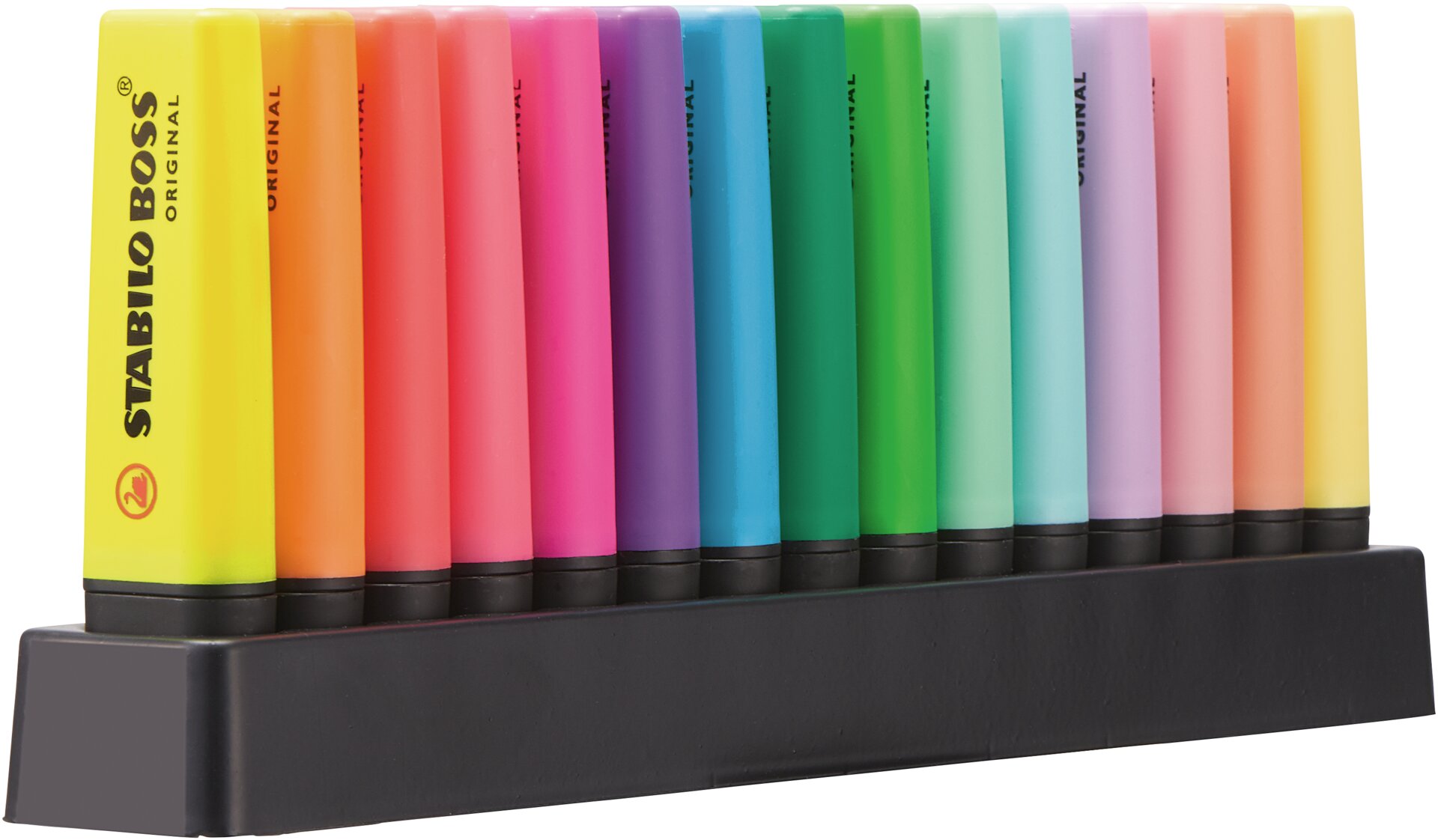
Set da scrivania con 15 colori: 9 fluorescenti e 6 pastello
Prezzo normale:
25,80 €
Domande Frequenti
Capture & Review
The app supports both handwritten and printed text. As long as your highlights are clearly visible, the system can detect and process them. If your handwritten notes aren`t detected correctly you can always ajust the text during the review process.
No, pages are scanned individually. This ensures higher accuracy in detecting highlights, colors, and text, and allows the AI to generate more precise and structured results for each page. However, if you already have pictures of pages in your camera roll, you can also upload and process them directly.
The app is primarily optimized for recognizing highlighted text. Text-based content delivers the most accurate and reliable results, especially when clearly marked.
Diagrams and tables are not fully interpreted as structured elements. However, if you highlight text within them (e.g. labels, captions, or key terms), the app can still detect and process those highlighted parts. For best results, focus on highlighting readable text elements that clearly convey meaning.
For optimal recognition, follow these guidelines:
Focus on the highlight: Zoom in so the highlighted text fills the capture area
You don’t need the whole page—only the highlighted section matters
Keep the page flat: Avoid curved pages near the book spine
Avoid shadows: They can distort color detection
Avoid glare: Especially on glossy paper
Slight blur is acceptable, as long as the highlight is clear
Proper exposure is crucial, above all, for accurately capturing highlights and colors.
Why are these steps important?
The app’s detection relies on clear color and text visibility. Poor lighting, shadows, or reflections can lead to incorrect recognition.
The app detects highlighted text, digitizes it, and transforms it into structured highlight cards enriched with AI-generated insights.
Text recognition is highly accurate when highlights and text are clearly visible. Printed text typically delivers the best results, while handwritten text may vary depending on legibility. Good lighting, minimal shadows, and clear color contrast significantly improve accuracy.
However if an highlight is recognized incorrectly (f. e. green and blue tones) you can always adjust the color manually in the review process.
Yes you can:
Adjust detected highlights
Correct colors
Edit text
Add tags and comments
If a highlight or its color is detected incorrectly, you can adjust it easily during the review step in two ways:
Quick correction via list: Select the highlight from the list at the bottom and tap on the color indicator until the correct color (and function) is assigned.
Precise adjustment in the image: For more detailed corrections, you can directly adjust each highlight in the image using the drag function. This allows you to refine the exact area and improve accuracy.
This combination of quick and precise editing ensures full control over your highlights before they are turned into cards.
An image is counted as a scan as soon as you decide to use it and enter the review step. This means once the image is processed and you proceed to review your highlights, it is considered a scan — even before the final card is created.
Color Coding & AI Features
Color coding defines how your highlights are interpreted. Each color is linked to a specific AI function, allowing the app to understand your intent.
Beyond that, color coding plays a key role in comprehension and memory. It helps structure information, making it easier to distinguish between concepts, priorities, or types of insights (e.g. definitions, key arguments, questions). This visual differentiation reduces cognitive load and supports faster recall.
By combining intuitive color-based organization with AI interpretation, the system not only mirrors how users already think but also strengthens their understanding of the text.
For best results, use clearly distinguishable colors, for example:
Yellow tones
Red / pink tones
Blue tones
Green tones
Using distinct color families ensures that the app can accurately recognize and assign the correct function.
Functions are structured through customizable tags:
Each function can be enriched with your own tags. These tags allow you to further categorize and describe the purpose of your highlights (e.g. topic, difficulty, relevance). This gives you an additional layer of structure, helping you sort, filter, and better understand your generated cards later on. Instead of just assigning a basic function, you can precisely define what each highlight represents in your own system.
For example, a book lover might use the “Quote” function to capture meaningful passages and assign tags such as “romance”, “funny”, or “spicy”. This way, highlights are not only stored, but also emotionally and contextually categorized for later rediscovery.
Flexible color usage with post-editing :
You are not restricted to a fixed set of colors. You can use other colors or shades based on your personal preference. If needed, these can be adjusted afterward and mapped to the core color system and its corresponding functions. This ensures flexibility in your workflow while still maintaining a consistent structure within the app.
Each AI function is triggered based on how you highlight content on the scanned page. This allows the system to understand your intent directly from your annotations.
Explanations (contextual understanding): The AI analyzes your highlighted section and explains it in a clearer, more accessible way. It adds context, simplifies complex ideas, and helps you understand the meaning behind the text.
Translations (context aware): Highlights can be automatically translated into your preferred language (Settings). The AI ensures not just literal translation, but context-aware meaning, so technical terms and nuances are preserved.
Summaries: The AI creates a summary of the entire scanned page. However, your highlights guide and influence the focus of that summary. By marking specific sections, you signal what is most relevant, allowing the AI to prioritize those parts. You don’t need to highlight everything, even a few keywords are enough to steer the AI.
Quotes (exact text capture): This function keeps the highlighted text exactly as it appears on the scanned page. It’s ideal for definitions, key statements, or passages where precise wording matters and should not be changed.
Highlight Cards
Highlight cards are structured digital units containing your highlighted text and AI-enhanced outputs (e.g. summaries or explanations)
View them in a feed
Expand for more information
Open detailed views
Edit quotes
Add tags & comments
Export or share
The card system is structured into three levels, allowing you to gradually access more information depending on your needs.
Level 1 – Collapsed (Overview)
This is the default, compact view of the card. It shows the most important information at a glance:
The function : The original quote, Translation. A short explanation or summary
Assigned tags
Creation date, Username, Likes and Saves
Via the three-dot menu, you can edit, export or share and organize the card. This level is designed for quick review and fast navigation.
Level 2 – Expanded (Details)
In this level, the card is partially expanded to reveal additional context. You gain more insight into the source, such as:
Information about the document or book
Additional background details related to the highlighted content
This helps you better understand where the information comes from and how it fits into the bigger picture.
Level 3 – Fully Expanded (Deep Understanding)
At this level, the card is fully opened and provides complete context and background information. You can explore the content in depth and engage with it more actively. Additionally, you have the option to comment on the card, enabling reflection, notes, or further insights. This level is ideal for deeper learning and active knowledge building.
Organize, Share & Export
You can:
Create folders
Assign content to books/documents
Use tags for structure
Yes, you can collaborate by sharing folders with others. This allows users to access, comment on, and work with your cards together.
To share content, simply create a folder and add the cards you want to collaborate on. In the folder overview, you can generate and share a link with others. Once they have access, they will be able to view all cards within that folder and interact with them.
This makes it easy to study, exchange ideas and theories, and build knowledge collaboratively.
Yes, you can export your highlight cards in different formats depending on your needs:
Images (PNG / Photo for sharing):
You can export your cards as images based on Level 1 and Level 2.
Level 1 offers a clean, minimal overview with the quote, short explanation or summary, translation — perfect for quick, shareable insights.
Level 2 adds more context, such as source information and background details, while still keeping a visually structured format.
Both levels are exported as PNG images, making them ideal for social media or visual sharing.
Document (Text for further use):
For more detailed work, you can export your cards as a document based on Level 3.
This includes the full content of the card:
Complete background and context information
All AI-generated outputs
User Comments
The export is structured in a clear, markup-style text format, making it easy to reuse and edit.
This allows easy integration into tools like Notion or GoodNotes, where the structured format can be directly used and preserved. Unfortunately, the mark up isn't supported in Microsoft Words, which means formating will not be transferred. To use your content in Word, simply save the exported file and copy the text into your document, then format it to your liking. This makes it easy to reuse and further edit your highlights across different tools and workflows.
The STABILO Highlight App supports a wide range of languages for the app interface, text recognition, and translation.
App interface: Available in 14 languages: English, German, French, Italian, Dutch, Portuguese, Spanish, Hungarian, Czech, Slovak, Polish, Turkish, Korean, and Japanese.
Text recognition: You can scan and recognize text in 34 languages: English (US/UK), French, German, Italian, Spanish, Portuguese, Dutch, Swedish, Danish, Norwegian, Finnish, Catalan, Romanian, Indonesian, Russian, Ukrainian, Polish, Czech, Slovak, Hungarian, Turkish, Greek, Croatian, Serbian, Bulgarian, Vietnamese, Chinese (Simplified and Traditional), Japanese, Thai, Korean, Hindi, and Bengali.
Translation output: Results are available in 20 languages: Chinese (Simplified and Traditional), Czech, Dutch, English (US/UK), French, German, Greek, Hungarian, Italian, Japanese, Korean, Polish, Portuguese, Russian, Spanish, Swedish, Turkish, and Slovak. Please note that language availability may vary depending on the feature you are using